
Have you ever clicked "Sign in with email" on a website and received a link that logs you in automatically, no password required? That's a magic link, one of several passwordless alternatives to the password, alongside passkeys. Magic links are a form of passwordless login that authenticates users through a one-time link or code sent to their email address. They're increasingly common in tools like Slack, Medium, Notion, and Substack, and they're worth understanding whether you're a user who just encountered one or a developer deciding whether to build one.
What Are Magic Links?
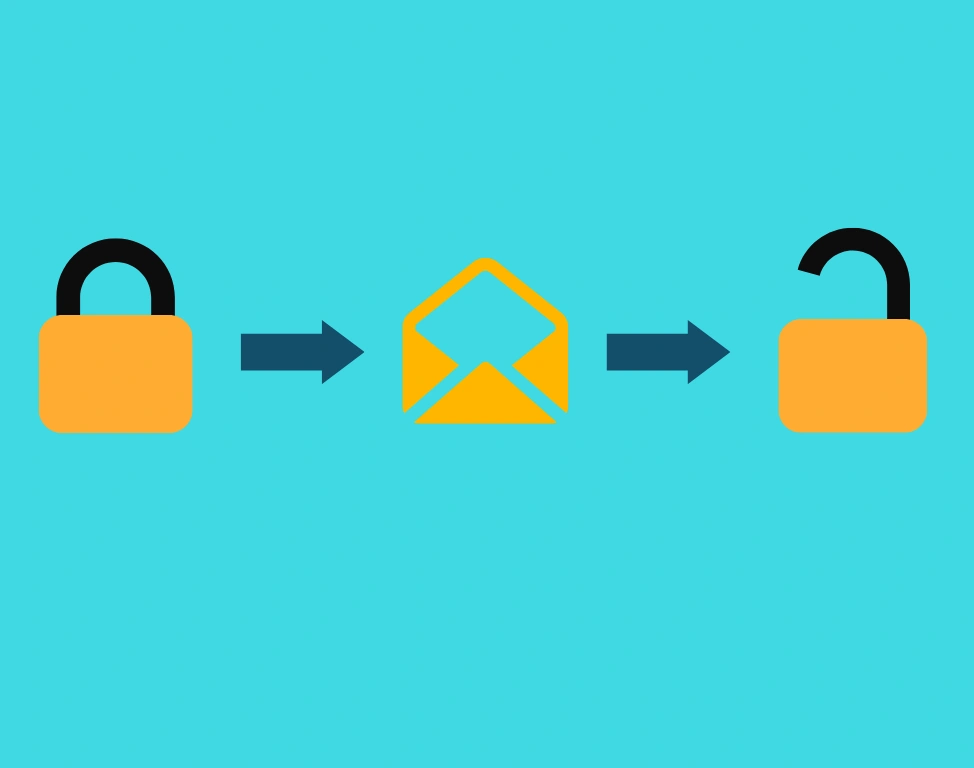
A magic link is a time-limited, single-use URL sent to a user's email that logs them in automatically when clicked, no password needed. The flow feels similar to a "forgot password" reset, but instead of creating a new password at the end, you're just signed in.
Here's what the experience looks like from the user's side:
- Enter your email address in the sign-in form
- Click "Sign in with Email" (wording varies by platform)
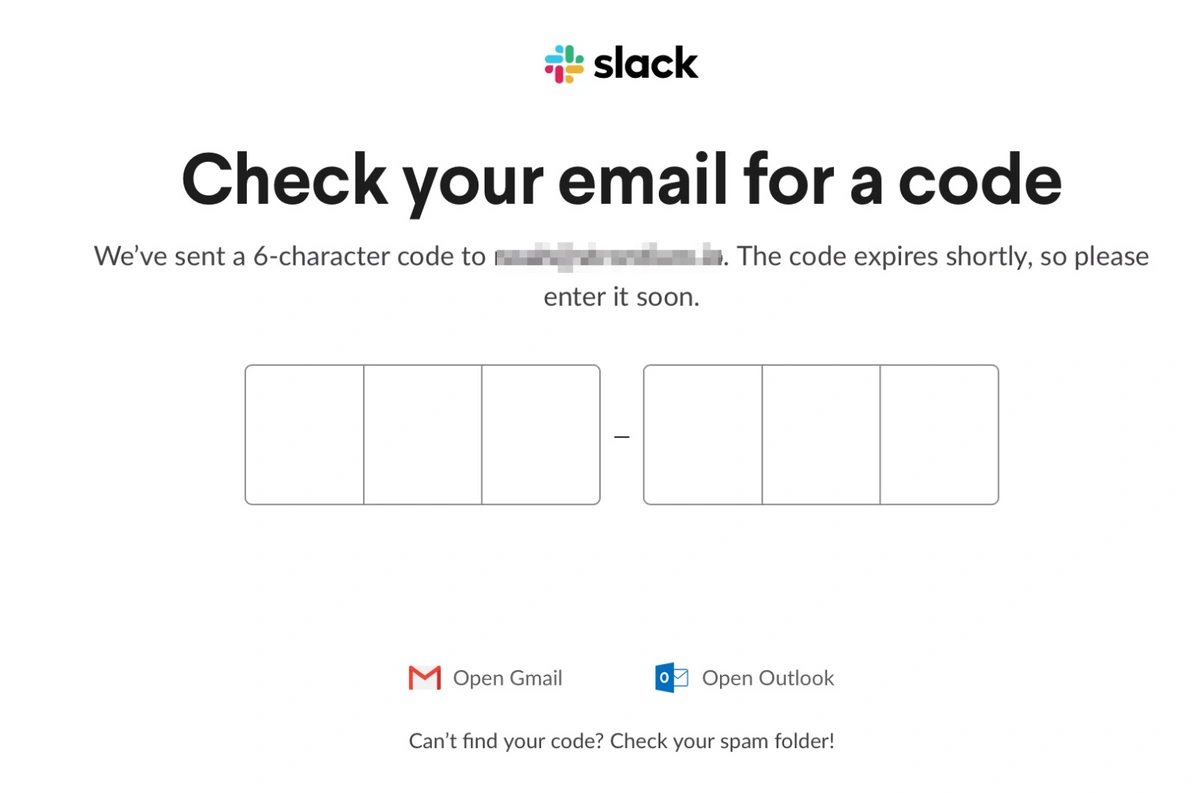
- Check your email and click the link, or enter the code if the platform uses numeric verification
That's it. The link is valid once and expires after a short window (commonly 5–15 minutes). Once clicked, it creates an authenticated session and becomes invalid, so even if someone else finds the email, the link is already spent.
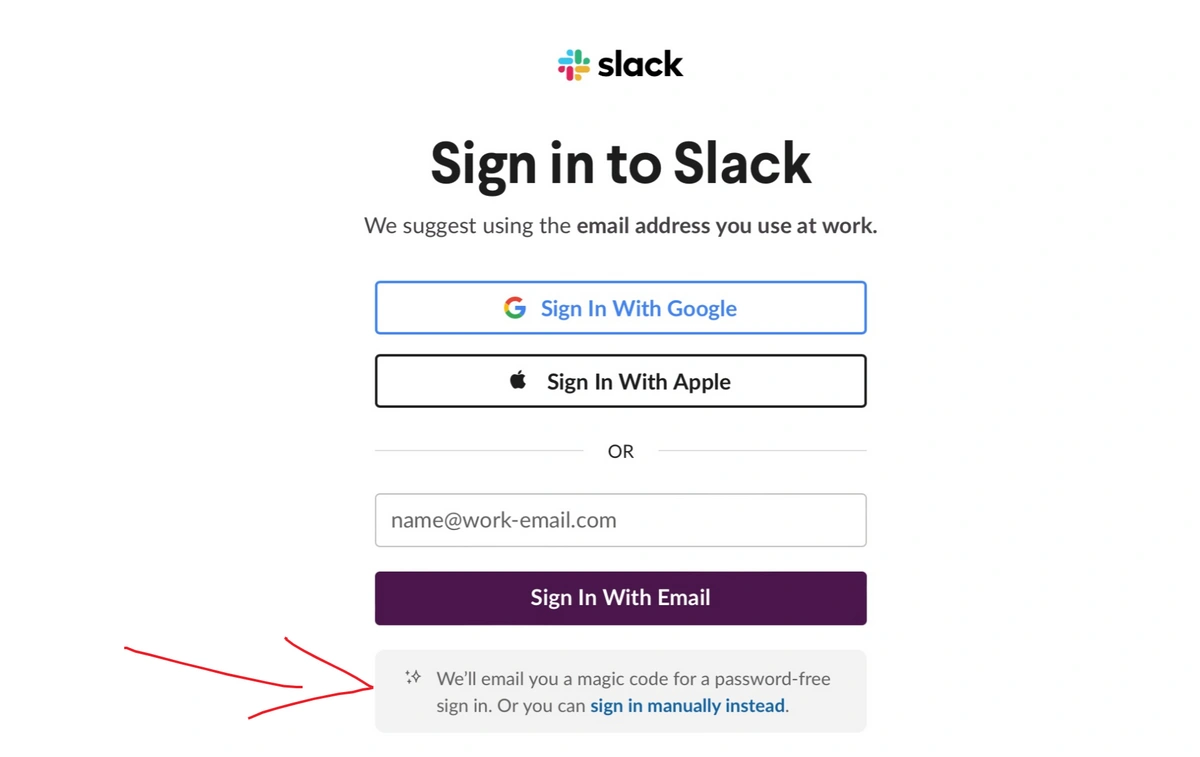
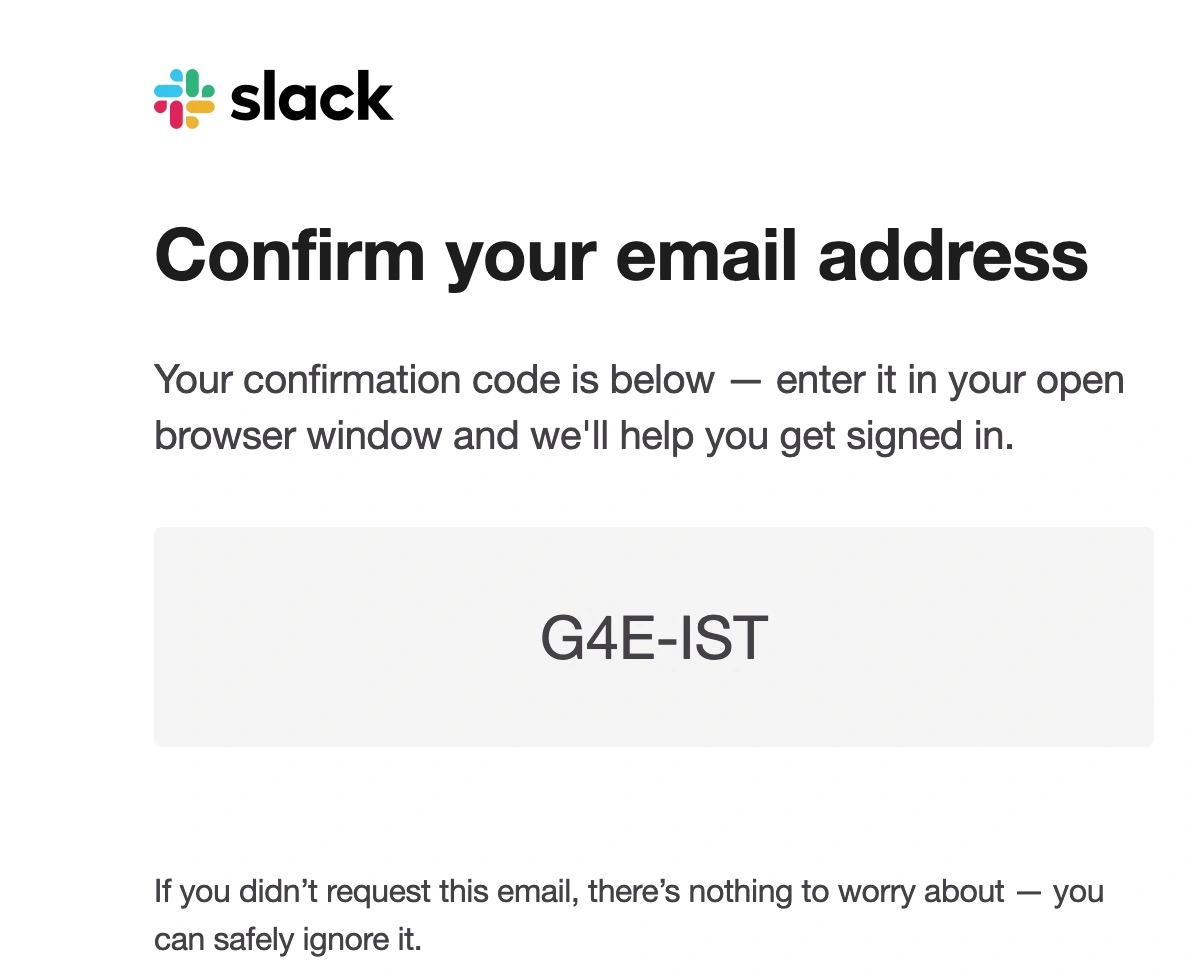
Some platforms, like Slack, use a numeric verification code rather than a clickable URL. The mechanism is the same, a one-time, email-delivered credential, but you paste the code into the browser instead of clicking a link. Slack made this switch deliberately: corporate email security tools (like Microsoft Defender for Office 365 and Proofpoint) automatically scan and pre-click links in emails to check for malware. When they hit a magic link, they consume it, leaving users with a "this link has already been used" error before they've done anything. A numeric code sidesteps the problem entirely.
Why do companies build this instead of just asking for a password? Because password managers are still far from universal, and the average person is managing dozens of accounts with weak, reused credentials. Magic links make the user's password hygiene irrelevant, there's no password to reuse or forget.
How Magic Link Authentication Works (Under the Hood)
If you're evaluating magic links for a product you're building, here's the basic technical flow:
- User submits their email → the server generates a cryptographically random token, stores it alongside the user's ID and an expiry timestamp
- Server sends an email containing a URL with the token as a query parameter (e.g.,
https://app.example.com/auth?token=abc123) - User clicks the link → the server validates the token: does it match? Is it still within the expiry window? If browser-session binding is enforced, does it match the original session?
- Token is marked used, an authenticated session is created, and the user is logged in
The security properties come from the token being single-use and short-lived. Even if an attacker intercepts the email, a token that's already been clicked is worthless, and one that expires in 5 minutes has a very narrow attack window.
Where Are Magic Links Used?
Magic links aren't just for login. They're a general-purpose mechanism for verifying identity via email, and they show up in several different contexts:
- Passwordless login, the most common use case; replaces username/password entirely
- Password resets, the "forgot password" flow you're already familiar with is functionally a magic link; you click a one-time URL, verify your identity, and regain access
- One-time document or content access, sharing a link to a protected file that grants temporary access without requiring account creation
- E-commerce cart recovery, sending a link that drops a user directly back into their abandoned cart, logged in and ready to complete checkout
- Guest checkout flows, letting customers complete a purchase and track their order without creating an account
- Temporary account delegation, granting a support agent or contractor scoped access to a session without sharing credentials
The common thread: any situation where you need to verify that someone controls a particular email address, grant them temporary access, and avoid asking them to create or remember a password.
Magic Links vs. One-Time Passwords (OTP Codes)
These terms often get conflated, and for good reason, they're closely related. The key difference is the delivery mechanism and user action required:
| Magic Link | OTP Code | |
|---|---|---|
| What you receive | A clickable URL | A short numeric or alphanumeric code |
| User action | Click the link | Manually type or paste the code |
| Works across devices? | Only if the same browser session is enforced, otherwise yes | Yes, code works anywhere |
| Vulnerable to email scanners? | Yes, scanners may pre-click and expire the link | No |
| Best for | Consumer apps, infrequent logins, non-corporate email users | Enterprise users, environments with strict email security |
Slack uses OTP codes specifically because their enterprise users operate in environments with aggressive email scanning. Many other platforms offer both and let users choose.
Are Magic Links Better Than Passwords?
It depends on what you're optimizing for. Here's an honest look at the tradeoffs.
Advantages:
- No password to manage. No getting locked out after too many attempts, no 90-day rotation policies, no risk of reusing a compromised password from another account. According to the Verizon Data Breach Investigations Report, stolen credentials are involved in a majority of breaches, magic links eliminate that vector entirely for the services that use them.
- Eliminates credential stuffing attacks. A time-bound, one-time token is useless to an attacker who buys a database of reused passwords. There's nothing to stuff. It also removes the phishing target, there's no password to trick someone into giving up (though the email itself can still be phished).
- Simpler support. When something goes wrong with magic link delivery, the diagnosis is straightforward: wrong email address, sent to spam, or blocked by a corporate email filter. You won't field calls about "my correct password isn't working."
Disadvantages:
- Security is only as strong as the user's email. If a cybercriminal compromises the email account, they control the magic link flow completely. This shifts, rather than eliminates, the security burden.
- Email scanner pre-fetching. Corporate email security tools (Microsoft Defender, Proofpoint, and others) automatically follow links in emails to scan for malware. For magic links, this means the link gets consumed before the user ever clicks it. This is a real, non-malicious failure mode that affects enterprise users disproportionately, and it's why platforms like Slack switched to numeric codes.
- Email deliverability friction. The link might go to spam, take a few minutes to arrive, or require switching devices if email isn't accessible on the machine being used. Every extra step is a chance to lose the user.
- No admin control over forwarding. Just like passwords can be shared, magic link emails can be forwarded. Admins can't prevent this.
Are Magic Links Secure?
Like every authentication method, the answer is "it depends on implementation." Magic links eliminate the vulnerabilities specific to passwords, credential stuffing attacks, phishing for passwords, and weak/reused credentials, but they shift the security burden to email account integrity.
The security of your email is closely tied to your overall password hygiene. A magic link won't protect you if someone can access your inbox. Anyone relying on magic links should:
- Use a reputable email provider and enable two-factor authentication on the email account itself
- Regularly check login activity to ensure only recognized devices have access, and enable new-device sign-in alerts
- Be cautious of magic link emails you didn't request, a phishing attempt might trick you into entering your email on a fake site that then relays a real magic link request
On the defensive side: a stolen password from a breached database is useless against a magic link system. And there's no password to phish, which removes one of the most effective attack vectors in modern social engineering.
Developers can also configure magic links to maximize security:
- Single-use tokens (standard practice, a used token is immediately invalidated)
- Short expiry windows (5 minutes is increasingly common; some services use as little as 2)
- Browser session binding (the link only works in the browser that requested it, this prevents forwarding attacks but creates cross-device friction)
Note: Magic link security depends heavily on implementation. The practices described here reflect common standards, but specific platforms implement these controls differently.
When Should You Use Magic Links?
Not every product is a good fit. Here's a practical decision framework:
Magic links work well when:
- Users log in infrequently, the "check your email" step is a minor inconvenience when it happens once a week, not multiple times a day
- Your user base skews toward non-technical users who struggle with password management
- Reducing "forgot password" support volume is a meaningful goal
- You're building guest access, one-time checkout, or temporary sharing flows
- Your users access the platform on personal email (not corporate email with aggressive scanning)
Magic links are a poor fit when:
- Users log in frequently (daily or multiple times a day), the email round-trip becomes friction fast
- Your user base is primarily enterprise employees whose email runs through security tools that pre-fetch links
- The application requires high-assurance authentication, financial services, healthcare, administrative panels
- Users regularly switch between devices where their email isn't already accessible
Magic Link Alternatives
Passkeys / WebAuthn
Passkeys are the most significant passwordless authentication development of the past few years, and they deserve a spot on this list. A passkey replaces the password with a cryptographic key pair stored on the user's device, unlocked by biometrics (Face ID, fingerprint) or a device PIN. There's no email round-trip, no link to click, and, critically, passkeys are phishing-resistant by design: the credential is bound to the specific domain it was created for, so a fake site can't capture it.
Passkey technology has moved well beyond "emerging." Google reported over 1 billion users authenticating with passkeys in 2024, and the FIDO Alliance, the standards body behind the technology, called passkeys the clear industry standard for simple and secure authentication as of 2026. Platform support is now universal: Android 9+, iOS 16+, macOS 13+, Windows 11, and all major browsers. That said, not every service has implemented passkeys yet, and the transition away from passwords is gradual across the broader ecosystem.
If you're evaluating authentication options and your platform supports WebAuthn, passkeys are worth serious consideration, especially for frequent login scenarios where magic links create friction.
Single Sign-On (SSO)
Single sign-on lets users authenticate once with a trusted identity provider, Google, Microsoft, Okta, etc., and access multiple connected applications without logging in separately to each one. SSO reduces password fatigue, simplifies IT management, and means users only need to secure one account rigorously. It's the dominant authentication pattern in enterprise environments, where it's often paired with MFA at the IdP level.
Passwords + Multi-Factor Authentication (MFA)
Most accounts still use passwords, and that's unlikely to change overnight. The right response isn't to abandon passwords wholesale, it's to handle them properly. Multi-factor authentication adds a second verification layer (a phone app, hardware key, or biometric) that means a stolen password alone isn't enough to break in.
The practical challenge for teams is consistency: if using strong, unique passwords is too cumbersome, people won't do it. A password manager removes that friction, credentials are generated, stored, and filled automatically, so good hygiene becomes the path of least resistance rather than a chore.
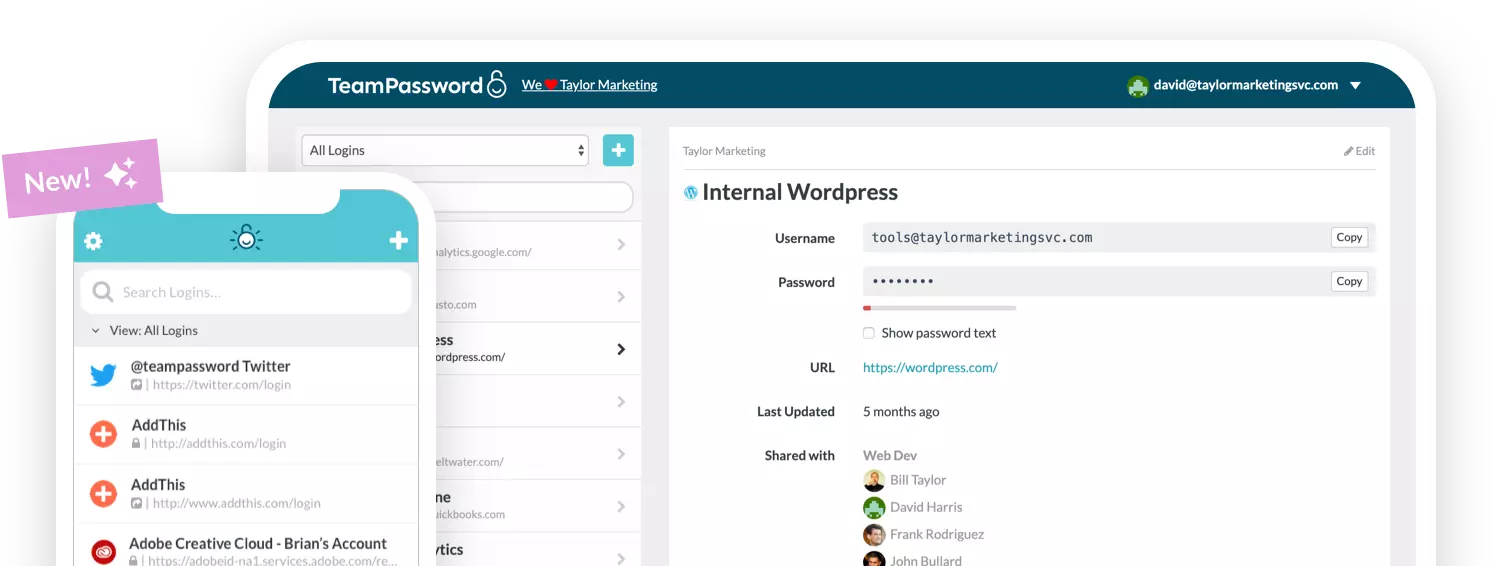
TeamPassword is built specifically for teams that need to share access to shared accounts securely, with group-based sharing, activity logs, and enforceable MFA so you know credentials aren't being copied into spreadsheets or Slack messages.
Frequently Asked Questions
Are magic links safe?
Yes, for most consumer use cases, with the caveat that security depends on the user's email account being secure. Magic links eliminate credential stuffing and password phishing, but if your email is compromised, so is any service using magic links to authenticate you. Enable two-factor authentication on your email account and magic links become significantly more robust.
What happens if a magic link expires before I click it?
The link simply stops working, and you'll see an error like "this link has expired" or "this link has already been used." Return to the sign-in page and request a new one. Most platforms will send a fresh link immediately. If you're consistently running into this, the most likely culprit is a corporate email security tool pre-clicking your links (see the OTP section above).
Can magic links be hacked?
The token itself is cryptographically random and expires quickly, which makes brute-forcing impractical. The realistic attack vector isn't the link; it's your email account. An attacker who controls your inbox can request and receive magic links on your behalf. This is why email security (strong password + 2FA) is the critical control when using magic link authentication.
What's the difference between a magic link and a verification code?
Same concept, different delivery. A magic link is a URL you click; a verification code (OTP) is a number you type. The underlying mechanism, time-limited, single-use credential delivered to your email, is identical. Platforms choose codes over links primarily to avoid corporate email scanners that pre-consume clickable URLs.
Do magic links replace passwords permanently?
Not across the board. Many platforms offer magic links as one option among several (alongside SSO, passwords + MFA, or passkeys). Whether magic links fully replace passwords depends on the platform's authentication strategy. Passkeys are the technology most likely to eventually replace passwords at scale, but the transition is a gradual, service-by-service process.
Choose the Right Authentication Strategy for Your Team
Magic links are a smart choice for reducing password-related friction and eliminating credential stuffing risks, especially for consumer apps with infrequent logins. They're not the right fit for every product, and they're not the end of the authentication story. Passkeys are maturing fast, SSO is the enterprise standard, and for everything else, strong passwords managed properly still get the job done.
Whatever authentication method your team uses, the underlying principle is the same: access to sensitive accounts and systems should be controlled, logged, and revocable. TeamPassword helps teams manage shared credentials securely, with AES-256 encryption, enforceable MFA, group-based access controls, and activity logs so you always know who accessed what and when.
- AES 256-bit vault encryption
- Enforceable multi-factor authentication for your team
- Activity logs to see how your passwords are being used
- Unlimited groups and group-based sharing for PoLP best practices
- Incredibly competitive pricing