
Read this first. If an email says a hacker has embarrassing footage of you and demands Bitcoin, take a breath. The overwhelming majority of these messages are mass-mailed bluffs. The sender almost never has what they claim. They're playing the odds, blasting the same threat to thousands of people and hoping a few panic and pay. You very likely have nothing to worry about, and there's a clear set of steps to be sure.
What to do right now:
- Don't reply and don't pay. Any response tells the sender a real person is reading.
- Don't click links or open attachments.
- Change the password shown in the email (and anywhere else you used it).
- Report it to the FBI's Internet Crime Complaint Center (IC3).
- Delete and block the sender.
The rest of this article explains what these emails are, why they work on people, how to tell a bluff from a genuine threat, and what to do at home and at your company.
What is an extortion email?
Criminals use extortion emails to blackmail people. They claim to hold sensitive information or content and threaten to send it to your friends and family unless you pay. A typical message says the sender installed tracking software on your device, knows you've visited adult sites, and captured webcam footage of you.
Often the email includes a real detail, like a password, to make the threat feel credible. Even an old password can be unsettling to see in a stranger's hands. But that detail almost always comes from a past data breach, not from any access to your device.
From corporate breaches to ransomware to personal extortion scams, criminals keep finding ways to turn stolen data into money. The 2021 T-Mobile data breach, for example, affected roughly 76 million people, including about 40 million former or prospective customers whose data was exposed even though they were never active subscribers. The 2022 LastPass breaches similarly exposed encrypted vault data that security researchers later worried could be cracked over time. Data like this gets bought, sold, and recycled into convincing extortion emails.
What is sextortion?
Sextortion is a type of extortion where criminals claim to have explicit content of you. Sometimes they don't have content at all, just information linking you to an adult site, a cam site, or a dating service, as in the Ashley Madison breach, where the mere account record was enough to threaten someone's relationships or reputation. Nearly a decade after that breach, criminals still send sextortion demands to the exposed users.
The distinction that matters:
- Extortion emails typically use a minor detail (like an old password) to bluff you into believing the sender has more.
- Sextortion in its rare, genuine form involves actual evidence, which the criminal will usually show you to prove it's real.
If someone truly had incriminating material, they'd almost certainly include proof, because proof increases the odds you'll pay. A vague threat with no evidence is the signature of a bluff.
Why you might be getting these now
If several of these have landed in your inbox recently, you're not alone. Large-scale data leaks keep flooding criminal markets with stolen email addresses and old passwords, and low-level scammers buy those lists cheaply to run automated extortion campaigns. Breaches tied to prolific groups like ShinyHunters have kept the supply high. That's why the "proof" is so often just a password you recognize from years ago: it came from a leak, not from your webcam.
What does an extortion email look like?
These emails tend to be long, threatening, and written to sound authoritative. Older ones were riddled with spelling and grammar mistakes; with AI-assisted writing, newer ones are usually clean and coherent. The "crime" they accuse you of is deliberately vague, something that could apply to almost anyone, like a horoscope.
Here's a real example Malwarebytes Labs received from a victim:
"Hey, you don't know me. Yet I know just about everything about you... Well, the previous time you went to the adult porn sites, my malware was triggered in your computer, which ended up logging a eye-catching footage of your self-pleasure play by activating your webcam."
Reply asking for proof and the sender threatens to send the (nonexistent) video to 10 people in your contacts, sharing a Bitcoin address and demanding, in this case, $2,000 within 24 hours. That countdown is deliberate pressure designed to make anxious people act before they think.
How to spot a fake extortion email
Almost every mass extortion email shares these tells:
- Generic, vague accusations that could apply to anyone, with no specific, verifiable detail about you.
- An old password as the only "proof" — one you recognize from years ago, which points straight to a data breach.
- No actual evidence attached. A real blackmailer shows proof; a bluffer describes it.
- A cryptocurrency demand, usually Bitcoin, which is hard to trace and impossible to claw back.
- A short countdown (24 or 48 hours) to rush you past rational thought.
If the email hits these marks, it's almost certainly an empty bluff.
Why do extortion emails work?
Priya Sopori, a partner at law firm Greenberg Glusker, explains the psychology:
"They play on our basest levels of psychology. You will read personalization into any generic statement. And if you believe that there are hackers out there that know every aspect of your life, and maybe they even know your life better than you do, you might actually pay even if you've done nothing at all."
The mocking tone is engineered to make you feel ashamed, even for something you never did, and the fear that friends or family might believe it is what pushes people to pay.
Who sends these emails?
Attackers sell breach databases on underground forums, so it's hard to trace where your details end up. Most land with low-level criminals running volume rackets, similar to the IRS scam calls that threaten arrest over unpaid taxes.
What to do if you receive an extortion email
The short version is in the box at the top. Here's the detail:
- Don't respond or engage. Any reply gives the attacker information and confirms your address is live.
- Don't click links or open attachments, which may carry malware.
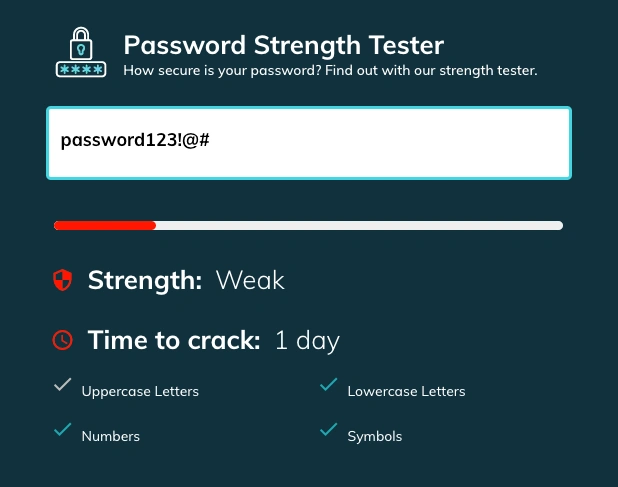
- Change your passwords immediately, especially any shown in the email and anywhere you reused it. Use a secure password generator to create a strong, unique replacement for each account.
- Report it. In the U.S., forward the email to the FBI's Internet Crime Complaint Center (IC3). Elsewhere, contact your national cybercrime authority.
- Delete the email after reporting, and block the sender.
Check whether your data was actually in a breach
Since the "proof" is usually a leaked password, find out where it leaked. Enter your email at Have I Been Pwned to see which breaches exposed your data. Then change the password on every affected account, and never reuse a password again, because reuse is exactly what enables credential stuffing attacks that chain one leak into many compromised accounts.
How to protect yourself going forward
- Use strong, unique passwords for every account. A password manager generates and stores them for you.
- Enable two-factor authentication (2FA) everywhere. Even a stolen password won't be enough.
- Keep software and devices updated so security patches close known holes.
- Be careful what you share publicly. Attackers mine social media to make threats feel personal.
- Stay skeptical of unsolicited email. Verify any request through a separate, trusted channel.
Should you pay the ransom?
No. Never pay. Paying marks you as willing and invites more demands. Here's why it backfires:
- Criminals rarely stop at one payment. Once you pay, they know you'll pay again. In 2016, Hollywood Presbyterian Medical Center paid roughly $17,000 (40 BTC) to regain access after a ransomware attack; the wider wave of copycat attacks on hospitals that followed showed how paying signals opportunity.
- Your details can be sold or leaked anyway. Modern ransomware crews increasingly use "double extortion," stealing data and encrypting it, then publishing the stolen files on leak sites even after some victims pay. The Maze ransomware group popularized this tactic, proving payment guarantees nothing.
- No guarantee they'll honor the deal. In most extortion emails there's no real evidence to begin with, and even when there is, there's no reason to trust a criminal to delete it.
- Legal and financial risk. Paying may be illegal in some regions if the recipient is tied to sanctioned entities. U.S. authorities have warned that ransoms paid to certain groups can carry serious legal consequences.
If you believe an attacker genuinely holds sensitive material, don't negotiate on your own. Contact your local authorities for guidance.
A note on minors
If the target is a child or teenager, treat it as urgent and do not pay or engage. Financially motivated sextortion of minors is a serious crime, and the FBI and IC3 have dedicated resources and will take reports. Preserve the messages as evidence, and reassure the young person that they aren't in trouble, since shame and fear are exactly what these criminals exploit.
How to deal with extortion emails at your company
Businesses get targeted too, though less often. The scam is similar: the sender reveals a company password as "proof" of deeper access. Most corporate spam filters catch these, but staff should still know how to react.
As with personal emails, never engage. Report it to your security team and authorities, delete it, and block the sender.
Change passwords immediately
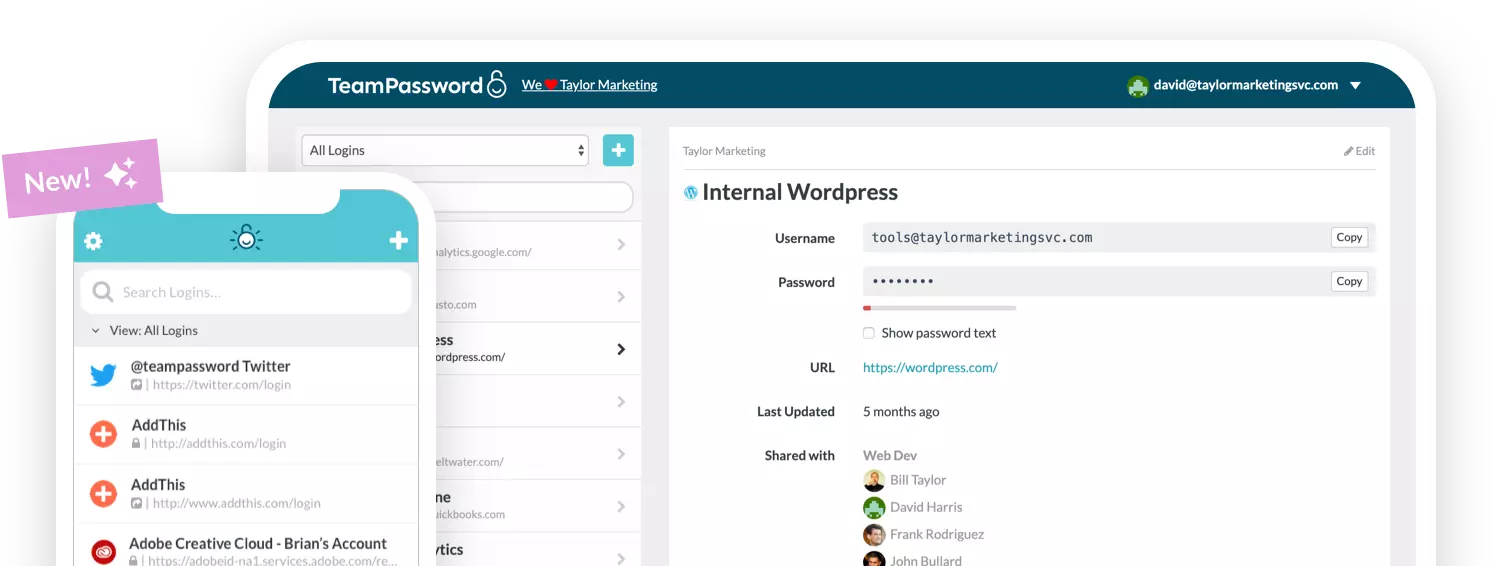
Even if the exposed password is old, change it, and change it everywhere it was reused. Reuse is a habit companies should kill entirely. A password manager like TeamPassword prevents credential reuse across your organization, and its built-in generator creates strong passwords from 12 to 32 characters using uppercase, lowercase, symbols, and numbers.
Secure your company's passwords with TeamPassword
Strong protection against extortion, credential stuffing, and brute-force attacks starts with secure password management. Teams need to share passwords with coworkers without weakening security, and TeamPassword is built for exactly that.
One password manager for every account. Each team member, including clients, freelancers, and contractors, gets their own TeamPassword account and logs into shared tools through a browser extension (Chrome, Firefox, Safari), much like Chrome remembering passwords, but built for secure sharing.
Why not just use Chrome? Passwords saved in your browser are fine for personal use but carry real security gaps and don't handle team sharing well.
Groups and sharing. Create groups for accounts, clients, or however you distribute access, and add coworkers to a group instead of handing out raw credentials. When someone no longer needs access, remove them in one click. No password rotation required.
Enforceable 2FA. Even if an attacker steals a team member's credentials, 2FA blocks them, and you can require it across your whole organization.
Activity and notifications. The activity log shows who accessed or edited which credentials and when, and email alerts keep you on top of sensitive accounts in real time.
Frequently asked questions
Are sextortion emails real?
The mass-mailed ones are almost always bluffs, with no footage and no access to your device. Genuine, targeted sextortion does exist and is serious, but it typically comes with actual proof. A vague threat with no evidence is a scam.
What happens if I don't pay?
Almost always, nothing. Because the sender usually has no real material, ignoring, reporting, and deleting the email is the correct response. Paying is what invites more demands.
Should I reply to an extortion email?
No. Any reply confirms your address is active and tells the attacker a real person is reading, which invites further attempts.
How did they get my password?
Almost always from a past data breach, not from your device. Check Have I Been Pwned to see which leak exposed it, then change that password everywhere you used it.
How do I report an extortion email?
In the U.S., forward it to the FBI's Internet Crime Complaint Center at ic3.gov. Other countries have their own cybercrime reporting channels.
Protect your team from extortion scams with TeamPassword
Don't let your company fall for extortion emails, credential stuffing, or reused-password attacks. Let TeamPassword handle secure sharing while you focus on the business:
- Enforceable 2FA across your whole organization.
- Unlimited groups so access goes only to the people who need it.
- Detailed activity logs for full accountability.
- A built-in generator so no password is ever weak or reused.
Plans start at just $2.41 per user per month. Sign up for a 14-day free trial and test TeamPassword with your team today. →
This article covers a stressful and sometimes frightening experience. If an extortion or sextortion attempt has left you anxious or overwhelmed, especially if it involves a young person, consider reaching out to a trusted person or a local support service alongside reporting it to the authorities.