
Regardless of your agency's size, every year brings a fresh stack of campaigns to manage: shifting seasons, client ad launches, content calendars, social schedules, and a dozen logins for tools your team shares. Without the right software, "agile" quickly becomes "overwhelmed."
This guide covers 12 of the best tools for marketing agencies in 2026, organized by category — with current pricing and honest notes on who each tool actually suits. Not every tool will be right for your agency. A feature that's essential for a 30-person shop managing 20 client accounts might be overkill for a solo freelancer. Use this as a shortlist, not a shopping cart. (If you're still deciding what kind of shop you are, our explainer on the difference between a digital agency and a marketing agency is a good primer.)
What categories of tools does a marketing agency actually need?
Before diving into specific products, it helps to think in terms of job categories. Most agencies, regardless of size, need coverage across these areas:
- Password and credential management — You're managing logins for dozens of client tools. Sharing those over Slack or email is a security liability.
- Project management — Tasks, deadlines, and accountability across multiple campaigns and clients.
- Communication — Internal team messaging and client-facing communication, ideally in fewer threads than your inbox currently holds.
- SEO and keyword research — For agencies running inbound or content-driven campaigns.
- Paid ads management — If you're running PPC for clients, you need a tool built for multi-account management.
- Social media management — Scheduling, analytics, and comment management across platforms.
- Client reporting — The category most agencies underinvest in, and the one clients notice most.
- Design and creative — For campaign assets, social graphics, and landing pages.
- Automation — The connective tissue that makes your other tools talk to each other.
Quick comparison
| Tool | Category | Starting Price | G2 Rating | Best For |
|---|---|---|---|---|
| TeamPassword | Password management | $2.41/user/mo | 4.6/5 | Agencies sharing logins across teams and clients |
| Asana | Project management | Free; Starter $10.99/user/mo | 4.4/5 | Workflow and task tracking for client projects |
| Monday.com | Work OS / timelines | Free (2 seats); Basic from $9/seat/mo | 4.7/5 | Visual timeline planning and resource management |
| Optmyzr | PPC management | From $208/mo | 4.6/5 | Agencies managing multiple client ad accounts |
| Microsoft Teams | Communication | Essentials $4/user/mo | 4.3/5 | Microsoft 365 shops needing integrated chat and meetings |
| Help Scout | Client communication | From $20/user/mo | 4.4/5 | Managing inbound client requests with a shared inbox |
| Ahrefs | SEO and keyword research | From $129/mo | 4.4/5 | Content-driven agencies running inbound strategies |
| Hootsuite | Social media management | From $99/mo | 4.3/5 | Teams managing multiple brands across platforms |
| Elementor | Landing page / website builder | Free; Pro from $59/yr per site | 4.6/5 | WordPress-based agencies building client landing pages |
| AgencyAnalytics | Client reporting | From $12/mo per client | 4.7/5 | Automating multi-channel reports for client delivery |
| Zapier | Automation | Free; Starter from $19.99/mo | 4.5/5 | Connecting tools without a developer |
| Canva for Teams | Design | From $10/user/mo | 4.7/5 | Non-designer teams creating on-brand campaign assets |
Password Management: TeamPassword
Rating: 4.6/5 (G2) | Starting price: $2.41/user/month
Best for: Agencies sharing logins across multiple team members, clients, and freelancers
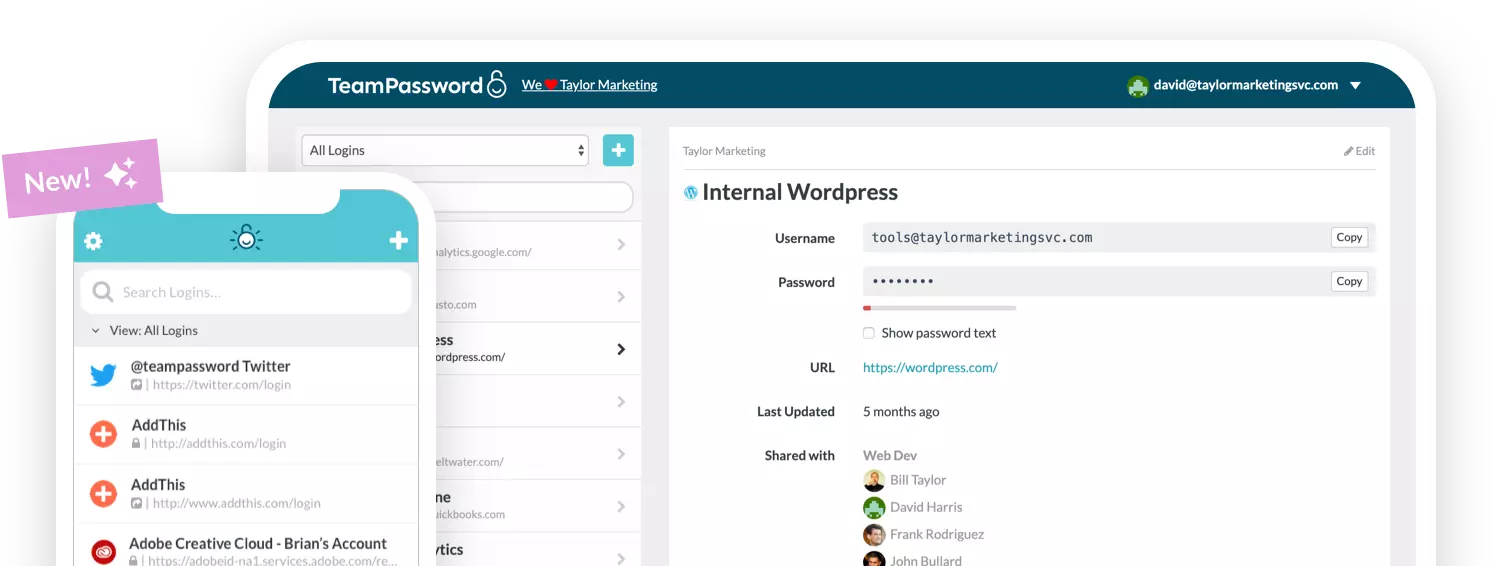
Marketing agencies have a structural security problem: they share a lot of passwords. Client ad accounts, social profiles, analytics dashboards, CMS logins — the list grows with every new client. The typical workarounds (a shared spreadsheet, a Slack message, a sticky note on someone's monitor) all have the same flaw: there's no audit trail, no way to revoke access quickly, and no way to know who last touched what.
TeamPassword is built specifically to solve this. It stores and organizes credentials by team or client, lets you share passwords securely without ever exposing the raw credential in a message, and gives admins a clear view of who has access to what. When a freelancer wraps up a project, you revoke their access in one step instead of scrambling to change 15 passwords.
Agencies are a particularly attractive target for credential attacks precisely because they hold the keys to multiple clients' accounts. Getting ahead of that with role-based access controls and strong shared passwords is cheaper than the alternative — our password protection best practices for digital agencies walk through the full checklist.
Top TeamPassword features
- Two-factor authentication with an integrated TOTP authenticator — no separate app needed
- Activity logs — full audit trail of who accessed which credentials and when
- Password generator for creating strong, unique passwords across every tool
- Groups and roles — organize credentials by client or team, with granular permission levels
- One-step offboarding — remove a departing team member's access across all groups at once
Ready to test TeamPassword with your team? Sign up for a 14-day free trial to experience the security and efficiency of working with TeamPassword!
Project Management: Asana
Rating: 4.4/5 (G2) | Starting price: Free; Starter from $10.99/user/month
Best for: Agencies that need structured task management across multiple concurrent client projects
Asana's strength is turning vague project briefs into accountable workflows. You can break a campaign into tasks, assign owners, set dependencies (so no one starts the ad copy before the brief is approved), and check in on everything from a single dashboard without sending a single status-request email.
For agencies juggling parallel projects, the "My Tasks" view is particularly useful — every team member sees their personal queue across all projects, not just the one they happened to open last.
Top Asana features
- Personal task view ("My Tasks") that pulls assignments across every project
- @mentions to assign tasks and follow up directly in context
- Timeline view for visualizing project schedules and spotting conflicts before they happen
- Workflow templates to standardize recurring processes — client onboarding, monthly reporting cycles, campaign launches
- Start and end dates with task duration tracking
- Integrations with Slack, Google Drive, Microsoft Teams, and 200+ other tools
Top competitor: Trello uses boards, lists, and cards in a kanban-style layout — simpler to set up, and a better fit for smaller teams or agencies that prefer visual workflow management over hierarchical task structures. Trello's free plan is generous; Asana's free tier is more limited at scale.
Work OS and Timeline Planning: Monday.com
Rating: 4.7/5 (G2) | Starting price: Free for up to 2 seats; Basic from $9/seat/month
Best for: Agencies that manage client-facing timelines and need strong visual reporting on resource allocation
Where Asana excels at task-level tracking, Monday.com is stronger as a high-level work OS — particularly for agencies that need to show clients a clear picture of what's being worked on and when. Its timeline and Gantt views make it easy to see whether your team's initiatives are piling up in one quarter or distributed sensibly across the year. The dashboard builder surfaces key metrics without requiring a separate reporting pull.
Monday.com and Asana solve overlapping problems, so you don't need both. The decision usually comes down to this: if your team thinks in tasks and dependencies, Asana tends to win. If you think in timelines and board-level visibility, Monday.com is often the better fit.
Top Monday.com features
- Gantt and timeline views for campaign and project scheduling
- In-app docs for real-time collaboration without switching to another tool
- Customizable dashboards with workload, time tracking, and progress widgets
- Integrations with 200+ tools including Slack, Google Workspace, and HubSpot
- Automations to eliminate repetitive status updates and handoffs
PPC Management: Optmyzr
Rating: 4.6/5 (G2) | Starting price: From $208/month
Best for: Agencies managing paid search and social campaigns across multiple client accounts on Google Ads, Microsoft Ads, and Meta
Running paid ads for multiple clients creates a management problem that generic tools aren't built to solve: you need to switch between accounts, maintain separate budgets, and produce per-client performance reports — ideally without spending half your day in spreadsheets.
Optmyzr is purpose-built for this. Its multi-account dashboard gives you a cross-client view of campaign health, and its automation layer handles the repetitive work: bid adjustments, budget pacing alerts, Quality Score recommendations, and scheduled report delivery. For agencies whose billable hours are currently eaten up by manual PPC maintenance, it's one of the highest-ROI investments on this list.
Top Optmyzr features
- Multi-account dashboard for managing all client PPC accounts in one view
- Rule-based automations for bids, budgets, and keyword management
- One-click optimizations with explanations — so you understand what the tool is recommending and why
- A/B testing for ads and landing pages
- Campaign performance reports, customizable per client
- Supports Google Ads, Microsoft Ads, Meta Ads, and Amazon Ads
If Optmyzr's price point is above your current budget, Google Ads Manager Accounts (free) are a solid starting point for multi-client PPC management — you won't get Optmyzr's automation layer, but you'll get consolidated account access without the subscription cost.
Communication: Microsoft Teams
Rating: 4.3/5 (G2) | Starting price: Teams Essentials from $4/user/month (annual); Microsoft 365 Business Basic (includes Teams) from $6/user/month
Best for: Agencies already in the Microsoft 365 ecosystem who want a unified chat, meeting, and file collaboration platform
Long-running projects generate a lot of context — decisions, file versions, approvals, feedback threads — and that context gets buried fast in email. Microsoft Teams keeps conversations, meetings, shared files, and documents organized in persistent channels, which means a new team member can get up to speed by reading back through the relevant channel rather than asking "can someone send me the brief?"
Teams is included in all Microsoft 365 Business subscriptions. If you're already paying for those, the collaboration layer comes with it. If you're not in the Microsoft ecosystem, the standalone Teams Essentials plan starts at $4/user/month with annual billing.
Top Microsoft Teams features
- Persistent channels organized by project or client
- Meeting scheduling with recording, transcription, and AI-powered meeting recaps
- File sharing and real-time co-authoring with Microsoft 365 apps
- Screen sharing and video calls
- Multi-factor authentication and enterprise-grade encryption
- Activity feeds and customizable channel notifications
- Integrations with 700+ third-party apps
Top competitor: Slack is the standard for agencies not in the Microsoft ecosystem. Its app integrations, workflow builder, and search functionality are best-in-class for async-first teams. Slack's free plan has a 90-day message history limit; paid plans start at $7.25/user/month.
Client Communication: Help Scout
Rating: 4.4/5 (G2) | Starting price: From $20/user/month (Standard)
Best for: Agencies managing a high volume of inbound client requests that currently land in one person's inbox
Help Scout is best understood as a shared inbox platform. When client emails and requests arrive in a shared Help Scout mailbox, anyone on your team can respond, and everyone can see the full history. No more "did anyone respond to Sarah's email?" The collision detection feature prevents two people from replying to the same message simultaneously — a small thing that saves real embarrassment.
The knowledge base lets your team build a library of saved replies for common client questions, so you're not writing the same answer from scratch on the fifth time someone asks about reporting timelines. A live chat widget is also available for agencies that want to offer real-time website support, but the shared inbox workflows are where most agency teams find the most value.
Top Help Scout features
- Shared inbox with collision detection
- Saved replies and a searchable knowledge base
- Automation rules to route, tag, and prioritize incoming messages
- Real-time reporting on response times and conversation volume
- Live chat widget for website visitor support
- Integrations with Jira, Mailchimp, Shopify, Salesforce, and more
Top competitor: Zendesk is a broader customer support platform with stronger ticketing and omnichannel features — better suited for larger agencies or those with dedicated support teams. Help Scout tends to win on simplicity and price for teams under 20.
SEO and Keyword Research: Ahrefs
Rating: 4.4/5 (G2) | Starting price: Lite from $129/month
Best for: Agencies running content-driven inbound strategies and competitive SEO work for clients
Ahrefs has one of the most comprehensive link indexes available, and its suite of tools — site explorer, keywords explorer, content gap, rank tracker — is genuinely useful for agency SEO work across multiple clients. You can audit a client's backlink health, map their keyword opportunities, find content gaps relative to competitors, and monitor ranking changes over time from a single dashboard.
One honest note on pricing: at $129/month for the Lite plan, Ahrefs is a meaningful line item for a small agency. If budget is a constraint, Google Search Console (free) covers ranking data and indexing issues, and Semrush's free tier handles basic keyword research. But if SEO is a core service you sell, Ahrefs pays for itself quickly.
Top Ahrefs features
- Site Explorer: analyze any domain's backlink profile, organic traffic, and top pages
- Keywords Explorer: keyword research across Google, YouTube, Bing, and other search engines, with click data alongside search volume
- Content Gap: find keywords your client's competitors rank for that your client doesn't
- Rank Tracker: monitor keyword positions over time with alerts for significant changes
- Site Audit: crawl and score a site's technical SEO health
- Backlink monitoring: track link growth and decline
Top competitor: Semrush covers SEO plus PPC, content marketing, and social media analytics under one subscription — a better fit if your agency wants to consolidate tools. For pure SEO depth, Ahrefs and Semrush are largely equivalent; the decision usually comes down to which interface your team prefers and whether you want an all-in-one platform or a dedicated SEO tool.
Social Media Management: Hootsuite
Rating: 4.3/5 (G2) | Starting price: From $99/month (Professional plan, 1 user, 10 social accounts)
Best for: Teams managing multiple brand accounts across several platforms, with a need for centralized scheduling, analytics, and team collaboration
Without a social media management tool, publishing to five platforms means five logins, five draft folders, and five separate analytics tabs. Hootsuite collapses that into a single content calendar, publishing queue, and reporting view — which adds up to a significant time saving across a month.
Hootsuite supports Facebook, Instagram, TikTok, X (formerly Twitter), LinkedIn, YouTube, Threads, and Pinterest, covering most agency clients' platform mix. Team collaboration features are solid: you can assign posts for approval, set permission levels per team member, and respond to comments across all connected accounts from a single inbox.
Top Hootsuite features
- Unified content calendar and post scheduler across all connected platforms
- Team inbox for responding to comments and messages from all accounts in one place
- Customizable analytics reports — by platform, time period, or content type
- Approval workflows for post review before publishing
- Paid and organic social management in one tool
- Brand monitoring and social listening
Top competitor: Buffer is a strong alternative for smaller agencies that find Hootsuite's pricing steep — Buffer's essentials plan is more affordable and its interface is simpler. Sprout Social is worth evaluating for larger agencies that need more sophisticated social listening and CRM integration.
Landing Pages and Website Building: Elementor
Rating: 4.6/5 (G2) | Starting price: Free (basic); Pro from $59/year per site
Best for: WordPress-based agencies building and iterating on landing pages for client ad campaigns
Creating a custom landing page for every ad variation is time-consuming but matters for conversion rate — generic pages hurt quality scores and post-click performance. Elementor solves the time problem: most team members can build a professional, responsive landing page visually without developer help.
The template library is large, and the brand kit feature (save fonts, colors, and button styles globally) means your team can spin up a new landing page for a client campaign in an hour rather than a day. Because it's WordPress-based, pages live under your client's own domain and hosting — no proprietary lock-in. They even make it easy to save your brand colors and fonts, so you don't have to manually input them every time you start a new landing page. One caveat: every client site you build is another set of admin credentials to protect, so it's worth reviewing how to securely manage multiple client websites as an agency before your portfolio grows.
Top Elementor features
- 300+ designer-made templates as starting points
- Visual drag-and-drop editor with live preview
- Brand kit to save and apply colors, fonts, and styles globally
- Responsive editing — adjust layout separately for desktop, tablet, and mobile
- Popup builder for lead capture and promotional overlays
- Form builder with integrations to CRMs and email platforms
Top competitor: Webflow is increasingly the choice for design-forward agencies that need more layout control without code — steeper to learn but produces more polished results and doesn't require WordPress. Unbounce is worth considering if landing page conversion testing is your primary use case rather than full site builds.
Client Reporting: AgencyAnalytics
Rating: 4.7/5 (G2) | Starting price: From $12/month per client campaign
Best for: Agencies that spend significant time each month manually pulling data from multiple platforms to build client reports
Client reporting is one of the most commonly underestimated time sinks in agency operations. If your monthly reporting workflow means logging into Google Ads, then Meta, then GA4, then Ahrefs, then assembling everything into a PowerPoint — AgencyAnalytics is the tool that eliminates most of that work.
It connects directly to 80+ marketing data sources and pulls everything into a single branded dashboard that updates automatically. You can build white-label reports that look like they came from your agency, schedule automatic delivery to clients on whatever cadence they prefer, and set up live dashboards clients can check themselves. The result: less time on reporting, fewer "what's my ROI?" emails.
Top Agency Analytics features
- 80+ integrations: Google Ads, Meta, Google Analytics 4, Search Console, Ahrefs, Semrush, and more
- Drag-and-drop report and dashboard builder
- White-label branding — reports carry your agency's logo, not AgencyAnalytics'
- Scheduled automatic report delivery via email or PDF
- Live client dashboards for self-service access
- Goal tracking and KPI widgets
Top competitor: DashThis is a solid alternative with a simpler interface and per-dashboard pricing. Looker Studio (Google's free reporting tool) is powerful but requires more manual setup and lacks AgencyAnalytics' pre-built connector library — worth it if you have a technical team willing to configure it.
Automation: Zapier
Rating: 4.5/5 (G2) | Starting price: Free (100 tasks/month); Starter from $19.99/month
Best for: Agencies that want to automate handoffs between tools without writing code
Zapier is the connective tissue of a modern agency tech stack. It lets you build automated workflows — called Zaps — that trigger actions in one tool when something happens in another. A new lead fills out a Typeform? Zapier creates a task in Asana, adds a row to a Google Sheet, and sends a Slack notification — automatically, without anyone touching it.
For agencies, the most common use cases are routing inbound leads to the right place, keeping project management tools synced with client communications, and eliminating manual data entry between systems. It's not the most visible tool on this list, but it's often the one that saves the most hours per week once it's set up properly.
Top Zapier features
- 7,000+ app integrations — connects most tools agencies already use
- Multi-step Zaps for complex automations (trigger, filter, multiple actions in sequence)
- Filters and conditional logic so automations only run when specific criteria are met
- No-code interface — buildable by anyone on your team, not just technical staff
- Zapier Tables for lightweight data management between automations
Top competitor: Make (formerly Integromat) is more powerful for complex multi-step workflows and generally cheaper at scale, but has a steeper learning curve. If your automation needs are straightforward, Zapier's usability wins. If you're building elaborate logic with loops and branching conditions, Make is worth evaluating.
Design: Canva for Teams
Rating: 4.7/5 (G2) | Starting price: Free; Teams from $10/user/month
Best for: Agencies creating social graphics, presentation decks, ad creatives, and campaign assets without a full-time designer on every project
Most marketing agencies need to produce a high volume of visual content — social posts, display ad variants, slide decks, email headers — but not every project has a designer available. Canva fills that gap. Its template library is large and genuinely good, its brand kit feature locks in client-specific colors, fonts, and logos so everything stays on-brand, and the collaboration tools let multiple team members work on the same design at once.
The Teams plan is specifically worth it for agencies: it adds team template folders and the ability to lock certain design elements — so a junior account manager can fill in a client's social post template without accidentally changing the brand colors or moving the logo.
Top Canva for Teams features
- Brand kits: save and enforce logos, colors, and fonts across your team's designs
- Team template folders: create master templates anyone can use without modifying the original
- Background remover, AI image generator, and one-click design resize
- Content Planner for scheduling social posts directly from Canva
- Presentation mode for client-facing decks
- Integrations with Google Drive, Dropbox, Slack, and social platforms
Top competitor: Adobe Express is a strong alternative for agencies already in the Adobe ecosystem, with tighter integration with Photoshop and Illustrator assets. For pure ease of use at a reasonable team price point, Canva is hard to beat.
Frequently asked questions
What software do marketing agencies use?
Most agencies build their stack around a core set of categories: a project management tool (Asana or Monday.com), a communication platform (Teams or Slack), an SEO tool (Ahrefs or Semrush), a social media manager (Hootsuite or Buffer), and a client reporting tool (AgencyAnalytics or Looker Studio). Password management is often overlooked but becomes critical once you're managing credentials for multiple clients. The right mix depends on your agency's size, specialization, and client base.
How much does marketing agency software cost?
A mid-size agency's core software stack typically runs $300–$800/month depending on team size and tools chosen. The biggest line items are usually SEO tools (Ahrefs from $129/month), social management (Hootsuite from $99/month), and PPC management software for agencies doing paid search work. Many tools — Asana, Monday.com, Zapier, Canva — have usable free tiers that cover small teams before you need to upgrade.
What is the best project management tool for marketing agencies?
Asana and Monday.com are the two most common choices, and they're not interchangeable. Asana is better for agencies that live in task lists, dependencies, and workflow automation. Monday.com is better for agencies that want high-level timeline views and visual resource management. If you're still coordinating projects over email or spreadsheets, either one will be a significant improvement — start with the free tier of each and see which your team gravitates toward.
Do marketing agencies need a CRM?
If you're actively running new business development alongside client work, yes. HubSpot CRM (free tier) is the most common choice for agencies — it integrates well with most marketing tools already in use. If your agency is purely delivery-focused and not prospecting, a project management tool with contact records may cover enough ground without a dedicated CRM.
How should agencies handle password sharing with clients and freelancers?
Sharing credentials via Slack DMs, email, or shared spreadsheets creates security risk and operational chaos — especially when a contractor leaves and you're not sure which accounts they still have access to. A team password manager like TeamPassword lets you share credentials without exposing the underlying password, and lets you revoke access in one click when the engagement ends. It's one of the lower-cost items on this list and one of the higher-ROI ones for agencies that regularly bring in outside help.
Manage all your agency's tool access with TeamPassword
The more tools your agency runs, the more credentials you're managing — and the more exposure you have if those credentials are shared the wrong way. TeamPassword was built for exactly this: teams that need to share access to dozens of tools across clients, freelancers, and internal staff, without the security headaches that come with ad-hoc password sharing.
- Integrated TOTP Authenticator — Generate two-factor codes directly in TeamPassword, so your team doesn't need a separate authenticator app for every shared account.
- Detailed Activity Logs — See exactly who accessed which credentials and when, making security reviews and offboarding audits straightforward.
- Unlimited Groups — Organize credentials by client, tool category, or team. Freelancers only see the group you add them to — nothing else.
- One-Step Offboarding — When a contractor wraps up or an employee leaves, remove their access across every group at once.
Plans start at $2.41 per user per month. Start your 14-day free trial — no credit card required.